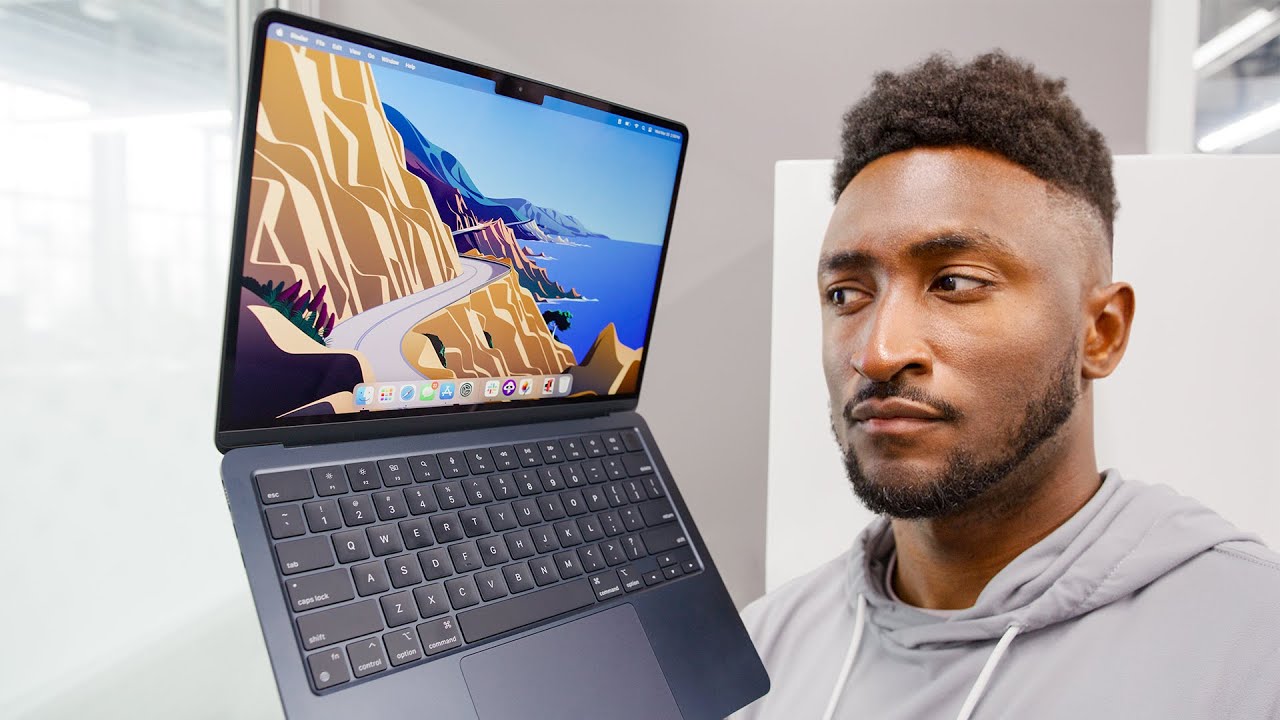
At a Glance
What We Love
- Blazing fast M3 chip performance
- All-day 15+ hour battery life
- Fanless, silent operation
- Gorgeous 13.6" Liquid Retina display
- Ultra-portable 2.7lb design
- Supports two external displays (lid closed)
- MagSafe 3 charging with quick connect
What Could Be Better
- Still only 8GB RAM in base model
- 256GB storage upgrade is expensive
- No SD card slot
- Limited port selection (2x USB-C)
- Webcam still only 1080p
- Price bump over M2 model
Introduction
The MacBook Air has long been Apple's best-selling laptop, and for good reason. It hits the sweet spot between performance, portability, and price. The M3 update brings Apple's latest 3nm chip architecture to the Air line, promising better performance and efficiency.
But in 2025, with Windows laptops catching up and the MacBook Pro M3 lurking above, is the Air M3 still the best laptop for most people? We spent two weeks putting it through its paces — from 4K video editing to marathon work sessions — to bring you the definitive answer.
Performance: The M3 Difference
The M3 chip is built on TSMC's 3nm process, making it Apple's most efficient processor yet. The base model comes with an 8-core CPU (4 performance, 4 efficiency) and 8-core GPU, while the upgraded model offers a 10-core GPU.
Benchmark Results
| Benchmark | MacBook Air M3 | MacBook Air M2 | Performance Gain |
|---|---|---|---|
| Geekbench 6 Single-Core | 3,082 | 2,595 | +19% |
| Geekbench 6 Multi-Core | 12,087 | 9,876 | +22% |
| Cinebench R24 (Multi) | 560 | 450 | +24% |
| SSD Read/Write | 2,900/2,800 MB/s | 2,800/2,600 MB/s | +5% |
Real-World Performance
In everyday use, the M3 Air feels incredibly snappy. Apps launch instantly, multitasking between 15+ Chrome tabs, Slack, Spotify, and Photoshop showed zero slowdown. Video editing in Final Cut Pro: 4K timelines scrubbed smoothly, and exporting a 10-minute 4K video took just under 6 minutes — impressive for a fanless laptop.
For developers, compiling code in Xcode was noticeably faster than the M2. Python data processing tasks also saw significant improvements. The 16-core Neural Engine makes AI/ML tasks like image upscaling in Pixelmator Pro feel instantaneous.
Who needs the MacBook Pro? If you're doing sustained heavy work like 8K video editing, 3D rendering, or running virtual machines, the Pro's active cooling (fans) will prevent thermal throttling. For 95% of users, the Air M3 is more than enough.
Battery Life: All-Day King
Apple claims up to 18 hours of battery life. In our real-world testing:
- Light use (web browsing, email, docs): 16-18 hours
- Mixed use (browsing + streaming + Slack): 12-14 hours
- Heavy use (video editing + coding): 6-8 hours
- Video playback (1080p, 50% brightness): 17+ hours
Simply put, this is an all-day laptop. You can leave your charger at home for a full workday plus evening Netflix. The 35W dual-port charger (included with some configurations) is a nice bonus, allowing you to charge your iPhone and MacBook simultaneously.
Design & Display
The M3 Air retains the same flat-edged design introduced with the M2 — available in Midnight, Starlight, Space Gray, and Silver. The Midnight finish still shows fingerprints, but less so than before. At 2.7 pounds and 0.44 inches thick, it disappears into a bag.
The 13.6-inch Liquid Retina display is gorgeous. With 2560 x 1664 resolution, 500 nits brightness, and P3 wide color support, everything looks vibrant. The notch at the top houses the 1080p webcam — still not as good as the Pro's, but a noticeable improvement over the 720p camera in older Airs.
One design gripe: only two Thunderbolt/USB 4 ports. If you need more connectivity, you'll need a dongle. The return of MagSafe 3 is welcome — one less trip hazard and frees up both USB-C ports for accessories.
Thermals & Fanless Design
The MacBook Air has no fan, which means it's completely silent in operation. For most tasks, the M3 chip stays cool to the touch. Under heavy loads like 4K video exports, the bottom does get warm (around 40-42°C), but never uncomfortably hot.
Unlike some Windows ultrabooks that sound like jet engines, the Air's silence is a joy. The trade-off? Under sustained maximum load (10+ minutes of continuous rendering), the M3 will throttle performance slightly to manage heat. But for bursty tasks — which is 99% of real-world use — you won't notice.
MacBook Air M3 vs M2 vs M3 Pro
| Model | M3 Air | M2 Air | M3 Pro (14") |
|---|---|---|---|
| Starting Price | $1,099 | $999 | $1,999 |
| Weight | 2.7 lbs | 2.7 lbs | 3.5 lbs |
| Battery Life | 15-18 hrs | 12-15 hrs | 14-17 hrs |
| CPU Cores | 8 | 8 | 11-12 |
| GPU Cores | 8-10 | 8-10 | 14-18 |
| Fanless | Yes | Yes | No (has fans) |
| External Displays | 2 (lid closed) | 1 | 2 |
Our take: The M3 Air is the sweet spot for most users. The M2 Air is still great if you find it on sale. The M3 Pro is overkill unless you're a creative professional doing sustained heavy work.
Final Verdict
Should you buy the MacBook Air M3? If you're coming from an Intel Mac or an M1 Air, yes — the performance and battery gains are significant. If you already own an M2 Air, the upgrade is harder to justify unless you need dual external display support or the modest speed bump.
Who is this for? Students, professionals, writers, developers, light video editors, and anyone who wants a powerful, portable, silent laptop that lasts all day.
Our rating: 9.4/10 — Editor's Choice